About AtdecSupportLogoContactREGISTER

Monitor Arms for 3 Monitors

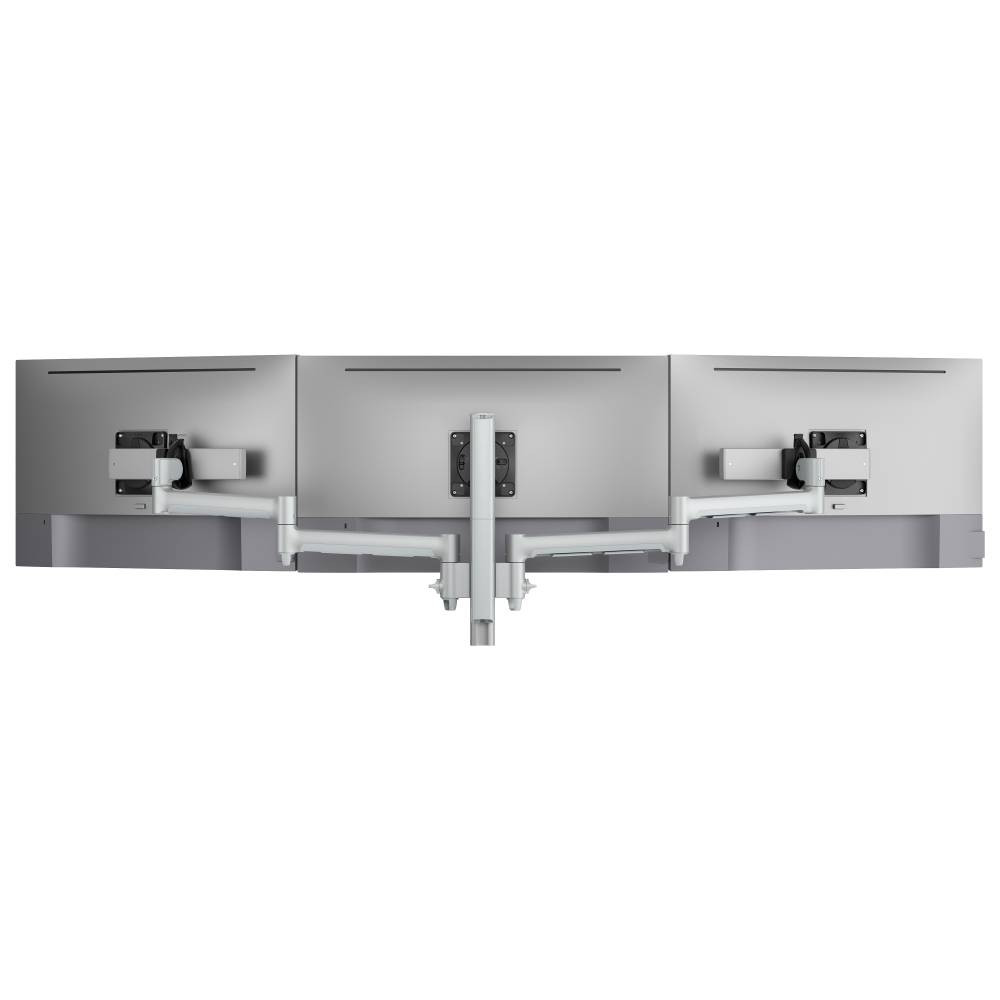
Transform your workspace with professional-grade 3 monitor arms for multi-display setups. Enjoy better ergonomic comfort, reclaim valuable desk space, and achieve flexible viewing angles throughout the day. Atdec has monitor arms designed for triple monitor configurations while delivering the stability, smooth adjustment, and durability needed for everyday work.
SHOP 3 MONITOR ARMSbanner image

Shop 3 Monitor Arms

Explore Atdec 3 monitor arms designed for multiple displays. These systems provide coordinated support and synchronized movement for triple-screen configurations.

Atdec monitor arm

Triple mount with sliders

AWMS-3-137S4 Silver

$454.00
Atdec monitor arm

Triple monitor stack mount

AWMS-3-TH467 Black

$686.00
SHOP 3 MONITOR ARMS

Why Choose 3 Monitor Arms

Multi-monitor setups are increasingly common in modern workspaces. Three displays offer generous screen real estate for complex workflows, making them popular across home offices, corporate environments, and shared workstations.

Using 3 monitor arms instead of fixed stands changes how those screens are used. Instead of being locked into single positions, the displays can be adjusted throughout the day to match different tasks, postures, and users. This flexibility supports better comfort, improved focus, and more efficient use of desk space.

Command
Maximize Your Desk Space
Traditional monitor stands for multiple displays occupy valuable desk surface and limit how the space can be organized. Mounting three monitors on arms lifts the screens off the desk, freeing room for keyboards, documents, and everyday work tools. This is especially useful in smaller home offices, shared desks, and hot-desking environments where space efficiency matters.
Command
Ergonomic Health Benefits
Extended screen time at poor viewing angles can lead to neck pain, eye strain, and long-term discomfort. 3 monitor arms make it easier to position displays at the correct eye level and viewing distance. Because adjustments are quick and smooth, users are more likely to move the screens when needed, helping maintain healthier posture whether sitting, standing, or collaborating.
Command
Professional Aesthetics
Sleek monitor arms for multiple displays elevate your workspace appearance, creating a clean, modern look that impresses during video calls and reflects professional standards. Whether you're building a home office or outfitting a corporate space, the visual upgrade is immediate and substantial.
Command
Flexibility for Multiple Use Cases
Work rarely stays the same all day. 3 monitor arms allow the screens to be pulled closer for detailed tasks, pushed back for video calls, tilted for standing work, or swiveled to share content with a colleague. This adaptability helps the workspace support the user, rather than forcing the user to adapt to a fixed setup.
Who 3 Monitor Arms Are Designed For

Consumers and Enthusiasts

High end home users and enthusiasts invest in 3 monitor arms for clean visual desk aesthetics, ergonomics, and enhanced multi-display position flexibility. Three monitors mounted on adjustable arms allow easy repositioning for different tasks, from focused work to video calls and out-of-hours pursuits.
Mobile

IT Teams and Business Buyers

IT teams managing monitor deployments need equipment that works across sites without generating support tickets. Atdec 3 monitor arms have integrated cable management and tool-free installation, with aesthetically ergonomic function. Teams can source through their preferred distributor or reseller, maintaining existing procurement relationships while giving IT Directors confidence that their workforce will love the performance.
VC/UC Spaces

Commercial Workspace Fitout Contractors

Fitout contractors need reliable, repeatable solutions when estimating and delivering projects. Atdec provides easy top-level size guidance around 3 monitor arm compatibility for faster costing and smoother installation planning.
Trading Desks

Facilities and Operations Managers

Facilities managers prioritize durability, installation or modification time, and adaptability. Atdec 3 monitor arms tick all the boxes, so Atdec solutions deliver high performance for a long service life with future flexibility to meet evolving workspace needs.
Command
SHOP 3 MONITOR ARMS

Key Problems 3 Monitor Arms Solve

Poor Ergonomics
Fixed stands lock monitors into single positions. 3 monitor arms allow precise height, depth, and angle adjustment for each display, reducing eye strain and supporting healthier posture throughout the day. The positive impact is amplified at sit-to-stand and shared desks.
Cramped and Untidy Desks
Multiple monitor stands can take up significant desk area. Mounting the screens on 3 monitor arms frees space for other equipment and creates a cleaner working environment, which improves productivity.
Inflexible Desk Setups
Fixed monitors cannot easily reposition for new tasks or collaboration. 3 monitor arms enable full adjustment range including rotation to portrait for messaging, or swing to share content with colleagues. These arms make monitors adaptable to every task, personal or professional.
Optiver-Sydney-trading-floor

Features That Matter in 3 Monitor Arms

Monitor arms designed to support three displays need to do more than simply hold the screens in place. The right features make a noticeable difference to comfort, stability, and how easily the workspace adapts throughout the day.
two-svgrepo-com_1_

Smooth Height and Reach Adjustment

Effortless repositioning with minimal force means users actually adjust their screens throughout the day instead of tolerating poor positioning. When movement feels frictionless, maintaining proper ergonomic posture becomes a habit rather than deliberate effort.
three-svgrepo-com_1_

Compatibility with Standard VESA Mounts

Support for common VESA mounting patterns ensures compatibility with most monitors, protecting your setup as displays are upgraded over time.
three-svgrepo-com_1_

Advanced Cable Management

Integrated channels and concealed bays route power and data cables along the arm structure, eliminating visible clutter while preventing tension or tangling during repositioning. Cables remain organized and protected throughout the arms' full range of motion, maintaining clean desk aesthetics.
four-svgrepo-com_1_

Secure Desk Mounting Options

Clamp and grommet attachments accommodate different desk thicknesses and configurations, providing stable support without permanent modification to furniture or workspace infrastructure.
SHOP 3 MONITOR ARMS

Common Use Cases and Environments

3 monitor arms are widely used in:
Home offices with limited desk depth where space optimization is critical
Corporate workstations with standardized monitors requiring consistent ergonomic solutions
Hot desking and agile workplaces where multiple users share equipment throughout the day
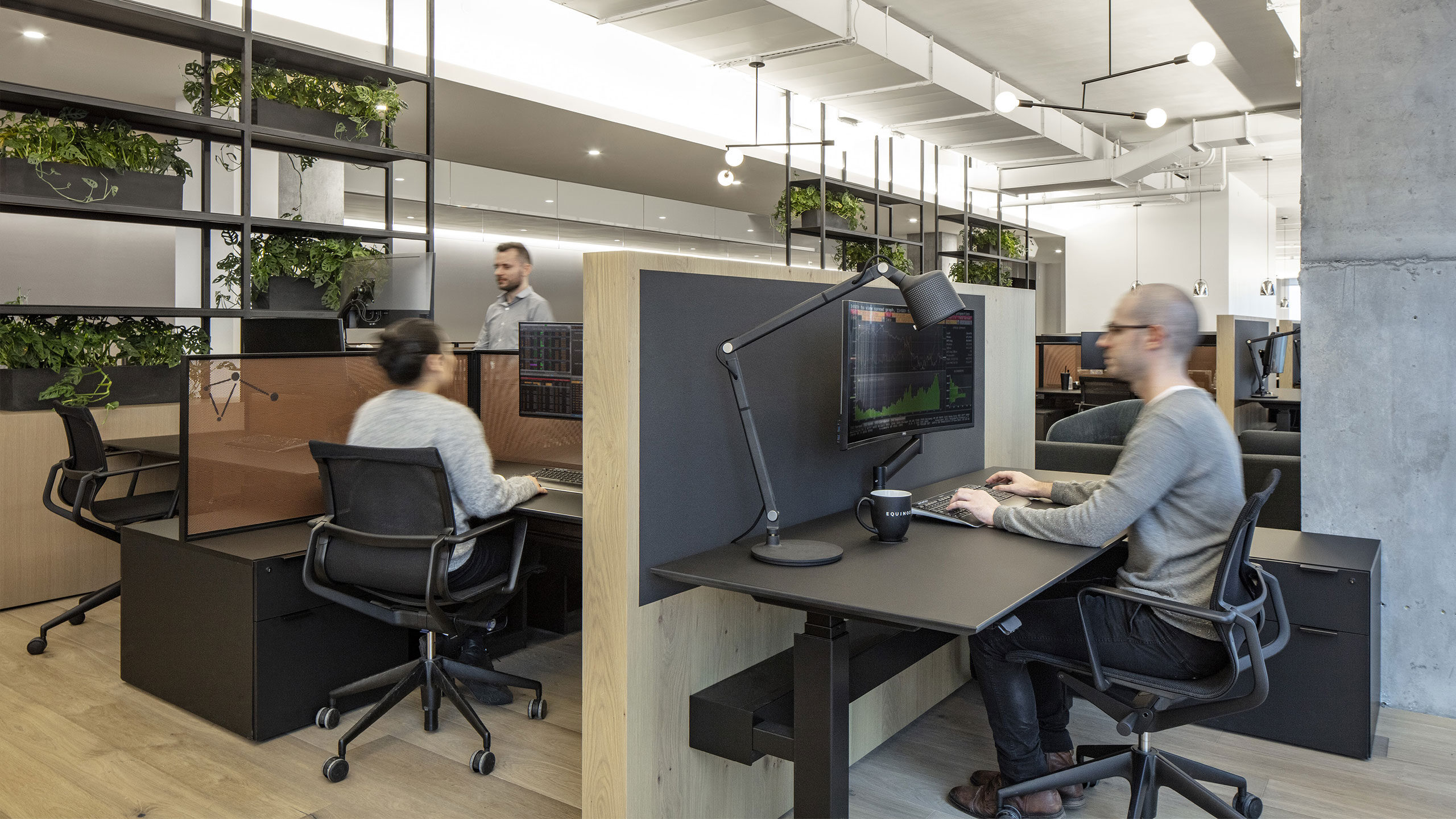
Control rooms and trading environments demanding stable, adjustable mounting for mission-critical operations
Education and training spaces where instructors and students need flexible screen positioning
Healthcare facilities requiring easy-to-clean, adjustable mounting solutions
Retail environments for back-office and point-of-sale applications
In each setting, the goal is the same: improve usability without adding complexity. 3 monitor arms deliver ergonomic benefits and workspace flexibility regardless of the industry or application.

Reviews from Real World Use

Mobile
"Excellent quality and value. It feels strong and it is easy to adjust. Most important it stays in place and moves easily. I love it."
Atdec Articulated Arm Monitor Desk Mount

Purchased from atdec.com

Mobile
“Perfect for shared workspace. These move smoothly and adjust easily to the different people who use the desk. My team installed 50 dual monitor arms at a new site with 24/7 operations, and they are working great so far.”
Atdec Adjustable Monitor Arm Desk Mount

Buyer from TD Synnex

Frequently Asked Questions

What 3 monitor arms are best?

The best 3 monitor arms are ones that clearly support three displays and fall within the monitors' recommended weight range. Look for adjustable monitor arms that offer height, tilt, and reach so the screens can be positioned comfortably for different tasks and users.

Can 3 monitor arms work for home and office use?

Yes. 3 monitor arms work equally well in home offices and professional environments. The same ergonomic benefits apply in both settings, including improved posture, better viewing angles, and more flexible desk layouts.

What monitor arm weight capacity do I need?

We offer maximum monitor arm size guidance as well as flat monitor and curved ultrawide weight capacity for each monitor arm. We recommend checking your monitor model's weight for compatibility with your selection.

The average monitor weight (without stand) by size is:
24-inch monitors: 5.5 to 10lbs
27-inch monitors: 9 to 14lbs
32-inch monitors: 12 to 20lbs
34-inch ultrawides: 13 to 22lbs
43-inch flat monitor: 17.5 to 28.5lbs
49-inch ultrawides: 20 to 33lbs

Does desk thickness affect what desk fixing I use?

Yes, thickness is important to your desk fixing selection. Atdec clamps have different desk thickness ratings, with the largest accommodating desks to 3.1 inches thick. Desks thicker than 3.1 inches don't suit clamping at all – in that case we recommend a freestanding mount.

Atdec desk clamps and fixing maximum desk thickness:
AC-GC grommet mount: 0.71 to 1.4 inches
AWM-FH HD desk clamp: 0 to 2.6 inches
AWM-FC C-clamp: 0.71 to 1.3 inches
AWM-FB bolt-through: to 1.3 inches
AWM-FF F-clamp: to 3.1 inches
Ora with F-clamp: to 2¾ inches

How much space do 3 monitor arms really free up?

Monitor arms eliminate the native monitor stands from the desk which can free substantial space. Three monitors with native stands occupy 8 to 12 inches of desk depth each, for example. Transitioning to 3 monitor arms reclaims the entire footprint, replaced by 2 to 4 inches of desk fixing at the far rear of the desk.

In addition to reclaiming space while the monitors are in use, the arms enable the monitors to be pushed to the far rear of the desk when not in use opening the desk for other endeavors.

Will monitor arms damage my desk?

Clamp fixings distribute pressure across the clamp footprint and should not damage a desk when properly installed. That is, in part, why desk clamps for heavier monitors and multi-monitor setups have a larger footprint.

Desks constructed of very soft materials or thin veneers may show a slight compression from the clamp, if this is a concern, or if the desk is antique or glass topped, consider a freestanding desk mount.

Can I install 3 monitor arms myself or do I need a professional?

Installation is straightforward for anyone comfortable with basic assembly. No special tools are required, with most installations requiring only a screwdriver to connect the VESA plates to your monitors.

Atdec provides installation instructions, along with videos on selected models.

Do monitor arms require maintenance or adjustment over time?

Quality arms require minimal maintenance. Arm tension may require adjustment if you change monitors or notice drift, but this is unusual and typically takes seconds. No lubrication or servicing is required during a normal service life. Atdec monitor arms have a 10 year warranty and many remain in the field well beyond that time.

Choosing 3 monitor arms for multi-display setups does not need to be complicated. By starting with screen size and backing that guidance with proper engineering, Atdec makes it easier to select, specify, and deploy monitor arms that work in real life. Whether you are upgrading a single desk or planning a larger workspace rollout, Atdec monitor arms deliver comfort, clarity, and long-term reliability.

SHOP 3 MONITOR ARMS

Product

Desk mountsWall mountsCeiling mountsFloor mountsAbout AtdecSupportContact

Service

Atdec UncoverAtdec CustomAtdec InstallResources

Inspiration

WorkspaceDigital SignageRetail

Technology

Monitor mountsDisplay mountsLaptop mountsProjector mountsTablet mountsatdec-logo-tag-white-on-trn-rgb-600atdec-logo-tag-white-on-trn-rgb-600atdec-logo-tag-white-on-trn-rgb-600atdec-logo-tag-white-on-trn-rgb-600atdec-logo-tag-white-on-trn-rgb-600
Copyright © 2013-2026 Atdec Pty Ltd
Legal noticePrivacy policy