What stackable monitor mount is best?
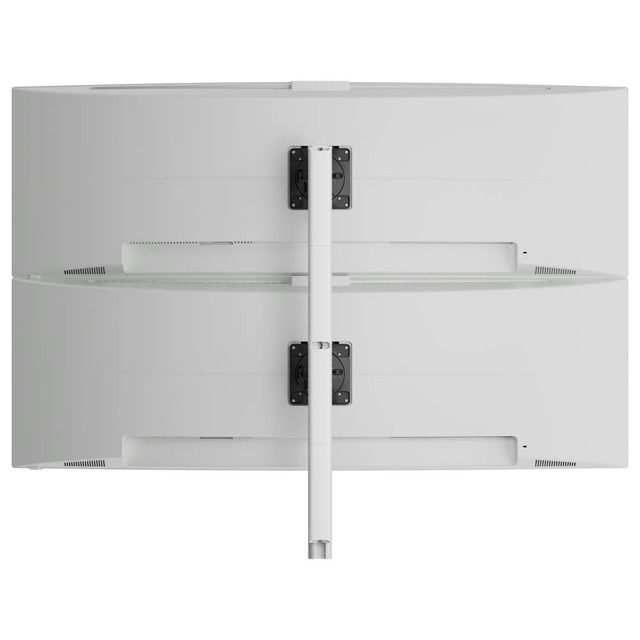
The best stackable monitor mount is one that clearly supports multiple displays and falls within the monitors' recommended weight range. Look for a stackable system that offers height, tilt, and reach so the screens can be positioned comfortably for different tasks and users.
Can a stackable monitor mount work for home and office use?
Yes. A stackable monitor mount works equally well in home offices and professional environments. The same ergonomic benefits apply in both settings, including improved posture, better viewing angles, and more flexible desk layouts.
What monitor mount weight capacity do I need?
We offer maximum monitor mount size guidance as well as flat monitor and curved ultrawide weight capacity for each system. We recommend checking your monitor model's weight for compatibility with your selection. The average monitor weight (without stand) by size is: 24-inch monitors: 5.5 to 10lbs 27-inch monitors: 9 to 14lbs 32-inch monitors: 12 to 20lbs 34-inch ultrawides: 13 to 22lbs43-inch flat monitor: 17.5 to 28.5lbs 49-inch ultrawides: 20 to 33lbs
Does desk thickness affect what desk fixing I use?
Yes, thickness is important to your desk fixing selection. Atdec clamps have different desk thickness ratings, with the largest accommodating desks to 3.1 inches thick. Desks thicker than 3.1 inches don't suit clamping at all, in that case we recommend a freestanding mount.Atdec desk clamps and fixing maximum desk thickness:AC-GC grommet mount: 0.71 to 1.4 inchesAWM-FH HD desk clamp: 0 to 2.6 inchesAWM-FC C-clamp: 0.71 to 1.3 inchesAWM-FB bolt-through: to 1.3 inchesAWM-FF F-clamp: to 3.1 inchesOra with F-clamp: to 2¾ inches
How much space does a stackable monitor mount really free up?
Stackable monitor mounts eliminate the need for multiple individual monitor stands from the desk, which can free substantial space. Multiple monitors with native stands occupy significant desk depth. Transitioning to a stackable system reclaims the entire footprint, replaced by 2 to 4 inches of desk fixing at the far rear of the desk. In addition to reclaiming space while the monitors are in use, stackable mounts enable the screens to be pushed to the far rear of the desk when not in use, opening the desk for other endeavors.
Will a stackable monitor mount damage my desk?
Clamp fixings distribute pressure across the clamp footprint and should not damage a desk when properly installed. That is, in part, why desk clamps for heavier monitors and multimonitor setups have a larger footprint. Desks constructed of very soft materials or thin veneers may show a slight compression from the clamp, if this is a concern, or if the desk is antique or glass topped, consider a freestanding desk mount.

Can I install a stackable monitor mount myself or do I need a professional?
Easy assembly designed for users with everyday DIY experience. No complex tools required - simply use a screwdriver to secure the VESA plate to your monitors. Atdec provides thorough installation instructions and helpful video guides for selected models.
Do stackable monitor mounts require maintenance or adjustment over time?
Quality stackable systems require minimal maintenance. Mount tension may require adjustment if you change monitors or notice drift, but this is unusual and typically takes seconds. No lubrication or servicing is required during a normal service life. Atdec stackable monitor mounts have a 10 year warranty and many remain in the field well beyond that time.