
Post or separate monitor arms:
which is right for you?
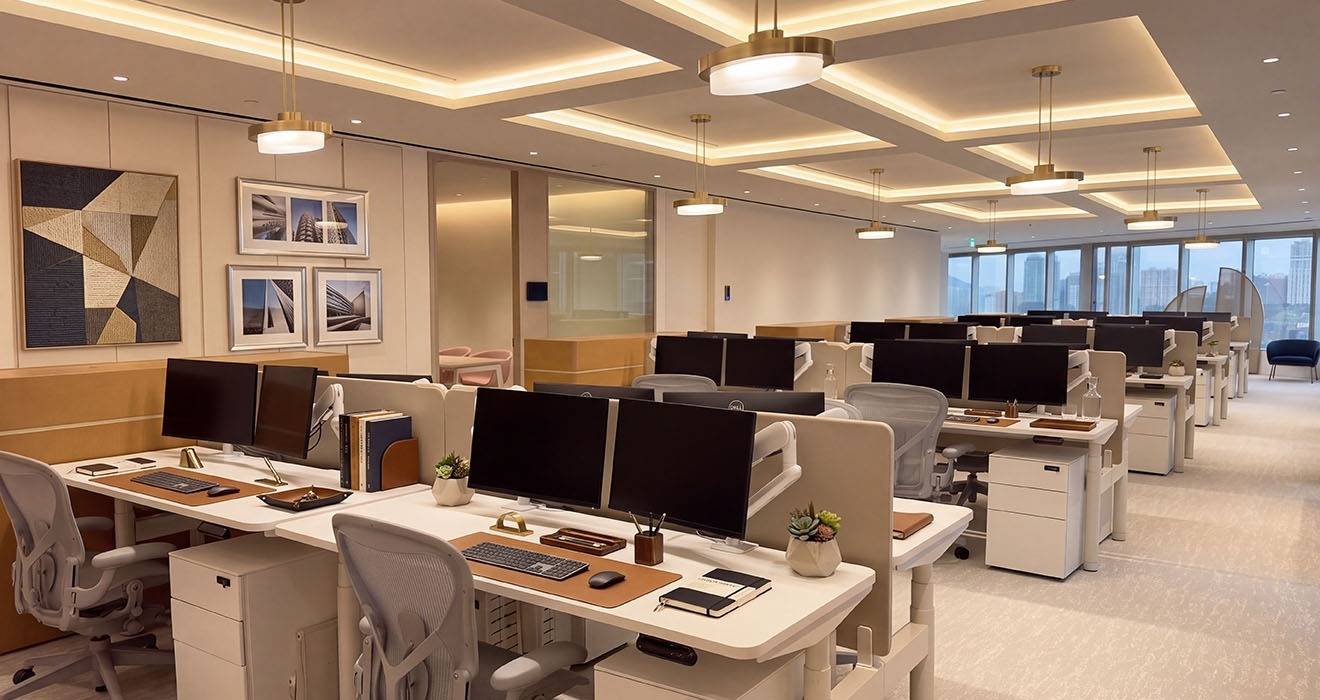
Put two screens on a desk and there are two ways to hold them; either a post carries both arms from a single fixing point, or each screen gets its own arm and its own desk fixing. Three screens pose the same question, and so does a desk where one screen sits above another.
Both routes are available with Atdec, using Ora and Atdec Modular. Atdec Modular is a collection of posts, arms, desk and wall fixings, and accessories components, that can be assembled to create any conceivable monitor arm configuration. The choice of post or multiple separate monitor arms for a multimonitor desk is decided by desk layout (and preference). Ora and Atdec Modular are available worldwide.
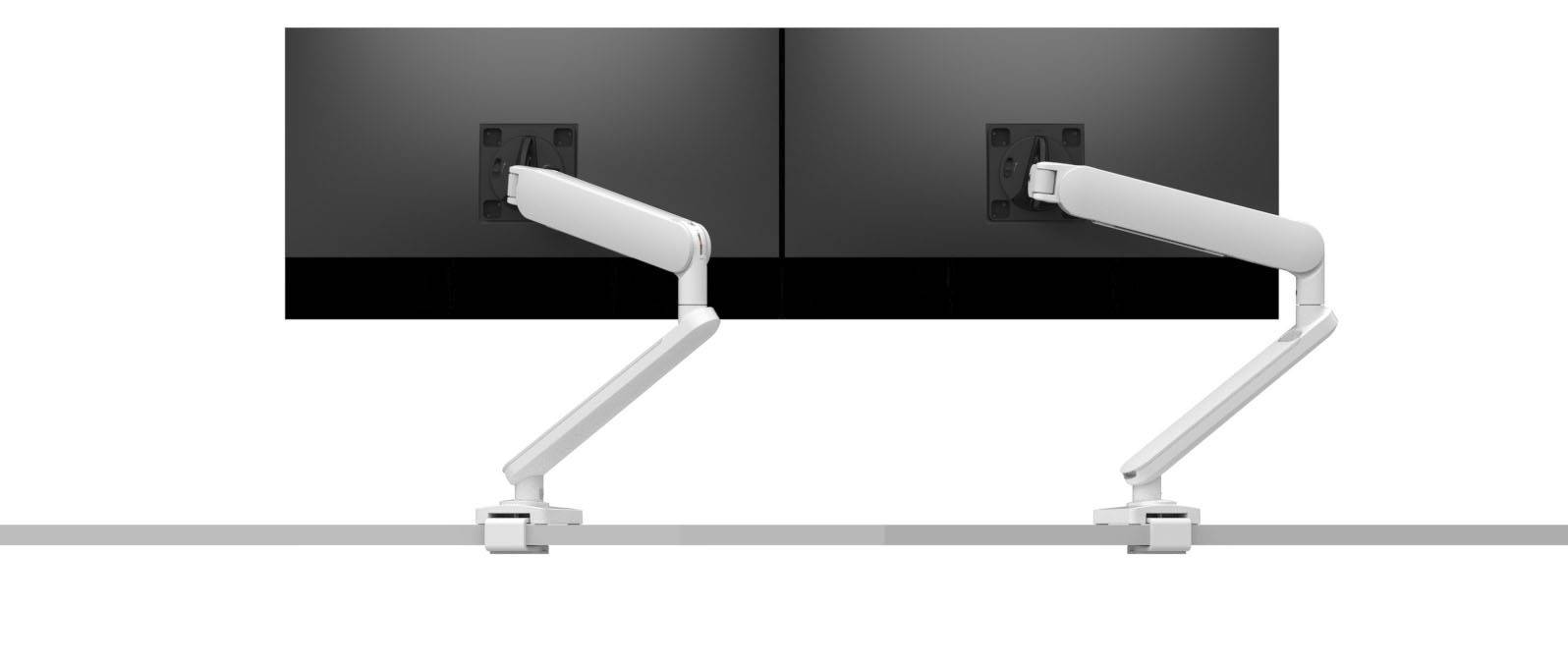
Dual dynamic monitor arms
Each screen gets its own arm and its own fixing point along the back edge of the desk. The screens have no mechanical relationship to each other. Each one moves in height, depth, tilt, and rotation independently of the others. This shows an Ora Duo holding dual 27-inch monitors.
A dual post monitor arm
A post is a single vertical column fixed to the worksurface, carrying two or three mounting heads. Everything stems from one desk-fixing point. The screens sit in a defined relationship to each other, usually side by side at matched height, sometimes stacked.
A custom Atdec Modular solution for two 32-inch monitors on dynamic arms connected to a post with a slider for more adjustability.
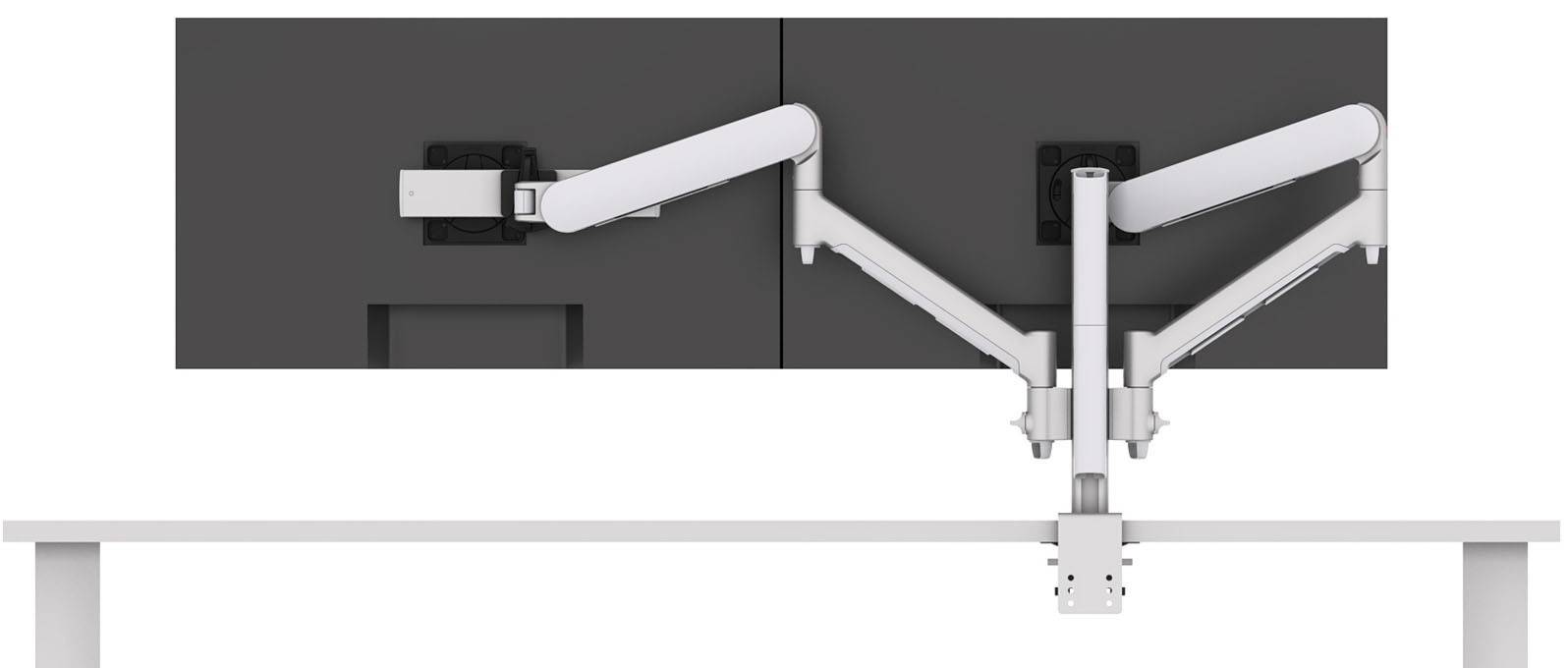
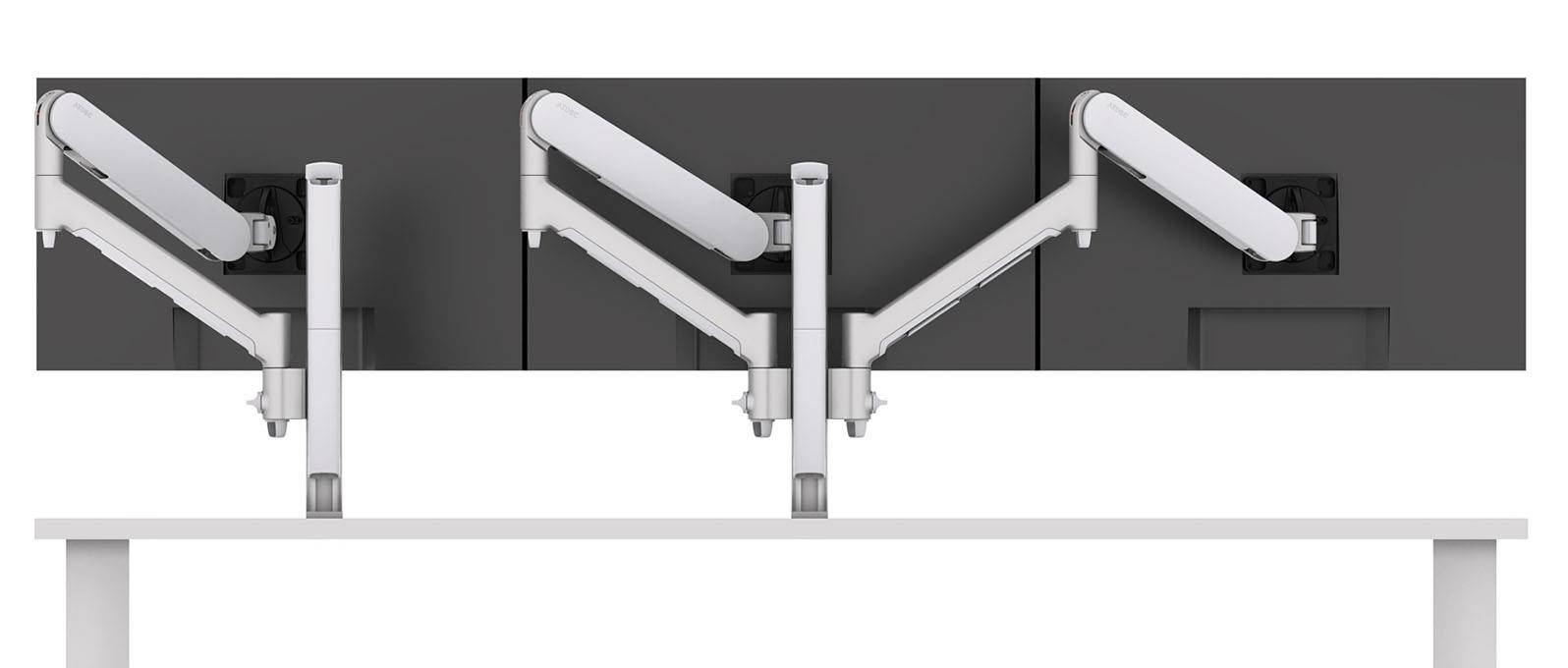
Dual post dynamic monitor arms
Multiple posts can be used to achieve sophisticated screen size, configuration, and movement requirements, such as those commonly found in command and control facilities and investment trading floors. This custom Atdec Modular solution with dual posts shows three 27-inch monitors, each with independent dynamic function.
Atdec Modular posts
This is where assumptions first go wrong - a post is not a fixed bracket that locks two screens into a matched pair. Quite the contrary.
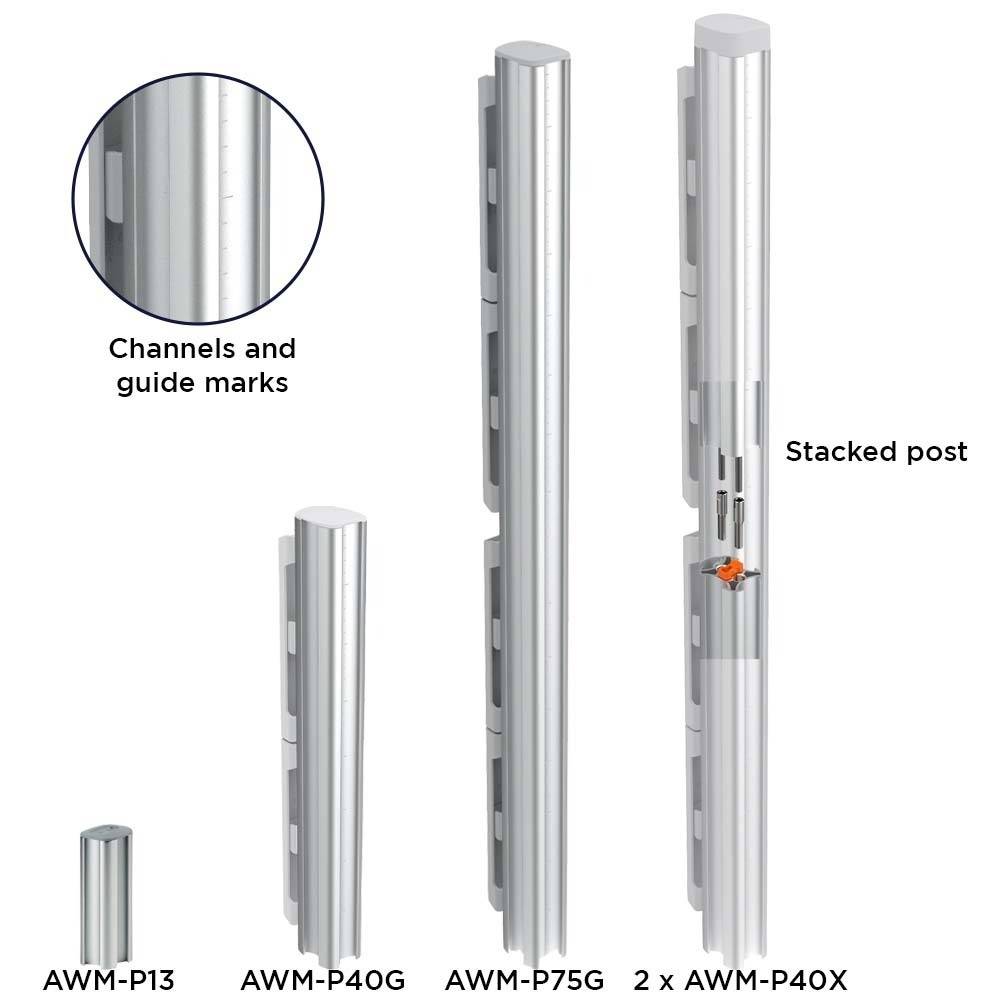
Medium post AWM-P40G stands 400mm or 15.75-inch and carries one or more arms in a single layer. The tall post AWM-P75G stands 750mm or 29.53-inch and is used where monitors are mounted in two layers, or where extra height range is wanted. AWM-P40X is a special stackable post that easily morphs between medium and tall. A short post AWM-P13 standing 135mm or 5.31-inch is also available.
Each post has four channels. An arm can be attached in any of them, at any height on the post. So two screens on one post can sit at different heights, at different depths, at different angles, with one turned to portrait, exactly as two independent arms would. The post supplies the fixing and the vertical range; the arms supply the movement.
The tall post also carries guide marks, a reference for setting arm height. On a single desk that is a convenience - across a rollout of a hundred desks, it makes a substantial time difference.
Superpower: what a post can do that separate arms cannot
Stack screens in two layers. A screen above a screen needs a post to hang from. The tall post is the component that makes it possible.
Work from one fixing point. One clamp, one position on the desk edge, one set of cables leaving the desk. Our preconfigured solution AWMS-6-13717 holds six monitors from a single post. Where the back edge is crowded by a cable tray, a divider, a leg, or a return, a single desk fixing point matters.
Hold a laptop in the same structure. The laptop tray accessory connects with all of our standard modular arms, so the laptop may hang from the same post as the monitors to sit alongside the screens. For example, laptop tray accessory AWM-N is used in preconfigured solution AWMS-2-ND13 for a laptop-monitor combo.
Move to a wall. Modular arms such as AWM-ADTC can be wall mounted with a wall channel, which keeps the same arms and heads in play where there is no usable desk edge at all. Preconfigured wall mounted solution AWMS-DW6 is popular for shallow desk positions.
Superpower: what separate arms do that a post cannot
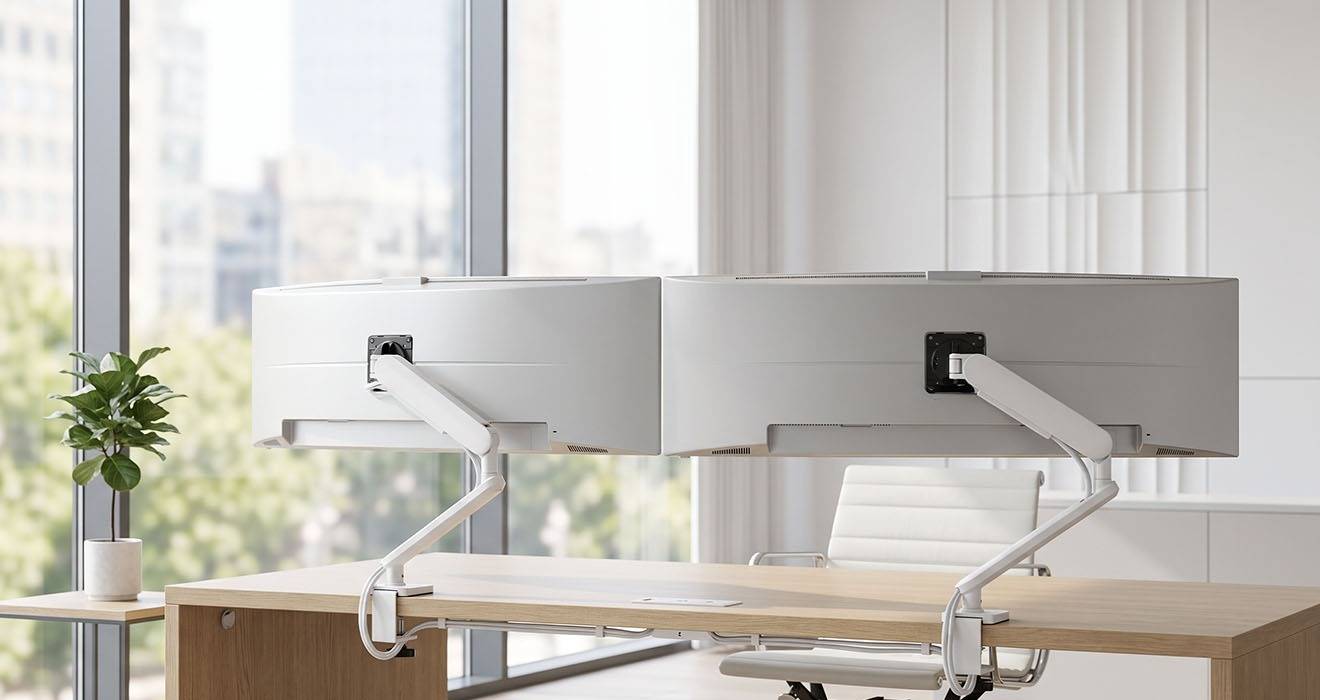
Spread screens wide. Two arms on two fixings, set apart along the back edge, reach a width that one post cannot. For a pair of large screens angled around a user, or a desk where the two screens serve genuinely separate tasks, that reach is the point. The image below shows two 49-inch curved monitors on separate arms - impossible to achieve with a single desk connection point.
Keep the mid-rear of the desk clear. A post occupies a position on the desk edge and rises from it. Some users want nothing there, purely as a preference (there's also those with a preference for only having the middle of the desk fixed to - there's solutions for everyone with Atdec Modular!).
Stay independent of each other. Each arm is its own assembly. Removing one screen, relocating it, or servicing it leaves the other untouched.
What is true of both (and often assumed otherwise)
Both routes adjust each screen independently for height, depth, tilt, pan, and landscape to portrait rotation.
Both routes upgrade. Adding a third screen to a post means adding an additional arm component to the post, not replacing the entire arm. Adding a third screen to a pair of separate arms means adding an additional complete arm, such as Ora. Both routes are readily answered with universal Ora and Atdec Modular.
Both routes suit sit-stand and hot desks, where the range of movement matters more than the architecture holding it.
Handling flat and curved monitors
Screen size is the number everyone starts with when deciding suitability of a monitor with a given monitor arm, and while it's fine for a first pass, it is the wrong one to specify from. Atdec publishes a maximum screen size for guidance, because it is a useful sanity check, but the two figures that decide whether an arm suits a monitor are weight and depth, both taken with the stand removed.
Depth is the one that gets skipped. A deeper monitor holds its mass further forward of the pivot, which increases the torque on the arm, whatever the scales say. Two 27-inch monitors of the same weight can need different arms if one is considerably deeper. VESA-mounted accessories add to both figures at once. Refer to our quick guide on how to measure monitor depth.
Curvature works the same way. A curved panel extends further forward from the mounting point, which moves the weight farther out from the VESA connection and creates additional torque, so a curved monitor can need 'more arm' than a flat monitor of identical weight.
Programming note: where Atdec differs
Not every monitor arm manufacturer publishes a curved capacity at all, which leaves the customer to guess on exactly the screens where guessing is least safe! Atdec publishes a maximum depth for every monitor arm and every preconfigured solution, and a separate curved capacity wherever curved and flat differ.
Arms in the Ora family and increasingly in Atdec Modular (such as AWM-ADTC) go a step further, with a single capacity that holds for curved and flat monitors alike. AWM-ADTC carries monitors to 8kg or 17.6lb, curved and flat. Ora 10 carries 3 to 10kg or 6.6 to 22lb, curved or flat, to 49-inch, with a published maximum depth of 200mm or 7.9-inch. Atdec was the first manufacturer to release arms rated identically for curved and flat screens, and it is still uncommon.
Where separate curved and flat screen capacities differ, the Atdec figures are published separately so the difference is visible. AWMS-HXB, a heavy duty dynamic arm for single screens to 49-inch, carries 16kg or 35lb flat and 12kg or 26.5lb curved. AWMS-2-46H75, dual heavy duty swing arms on a tall post, carries 14kg or 31lb flat and 12kg or 26.5lb curved per screen. That detail is published prominently.
How to check compatibility
Weight and depth for every arm and solution are on the product page, published in the product description as well as under Specs - Compatibility. The fallback default curved capacity assumes an overall depth of 100mm or 3.9-inch.
Two companion articles cover this in full: Understanding monitor arm compatibility on why weight and depth decide it, and how to measure overall curved monitor depth for taking the measurement correctly. If the specification is hard to find, send us the monitor model.
Matching the monitor arm to the screen class
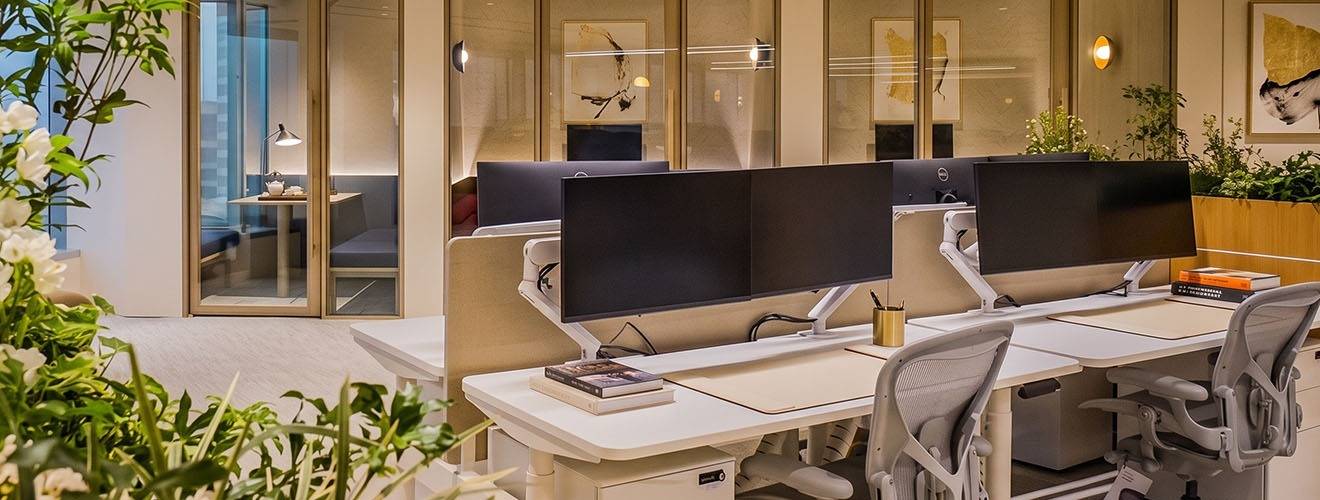
Above that, or where the desk needs a post, Atdec Modular arms take over. AWM-ADTC is the arm most often used to desk mount two or more monitors on a post. The heavy duty arms, AWMS-HX40 and AWMS-HXB, handle large and ultrawide screens.
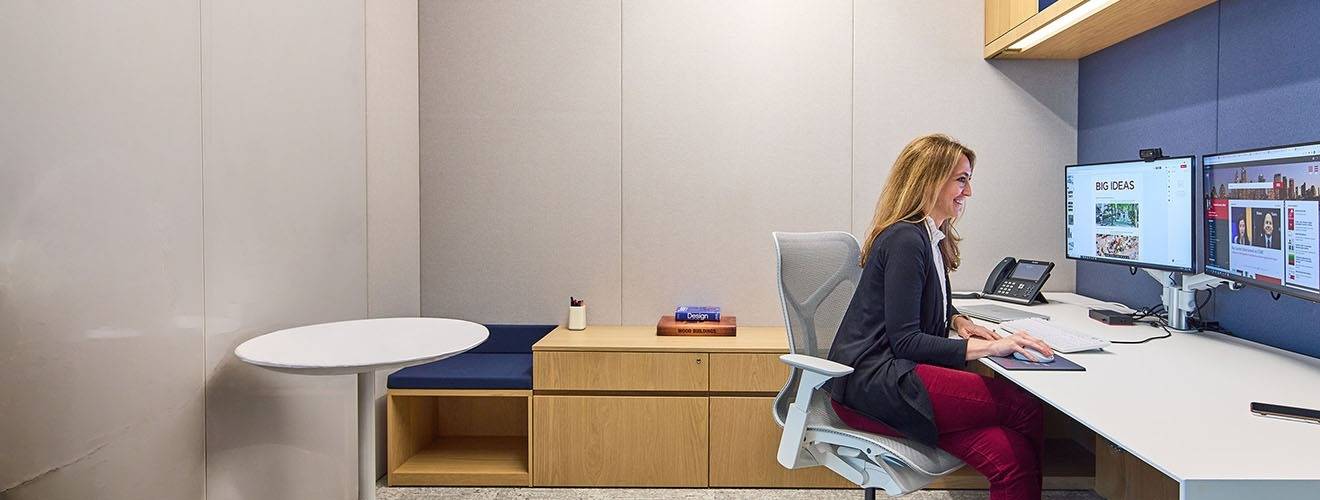
Dual 27-inch monitors mounted on AWMS-2-D13 dynamic arms on a post.
Fixings and the worksurface
The fixing is a separate decision from the arm and is included here only in as far as it affects a choice between separate arms or multiple monitors on a post - which mostly comes down to space to mount at the rear of scalloped desks. It is a furniture detail is worth raising with clients early. A scalloped worksurface limits where a mount can go (versus desks with a flush rear edge). On a single-screen desk that is harmless. On a multi-screen desk it dictates spacing and can rule out the layout the user wanted. A plain back edge lets anyone mount anywhere, at any spacing, in any combination, which is the cheapest futureproofing available when furniture is being specified against a screen fleet that has not been bought yet.
Less common desk construction factors can eliminate the possibility of any desk fixing at all - being very thick desk tops, deep bevels, and glass surfaces preclude even a single clamp. In those instances, single and dual freestanding monitor arms or mounts are recommended.
Cost is not the tiebreaker people expect
It is often assumed that a post is the cheaper way to hold two screens. Compare current RRP - and your price, for channel partners - before relying on that. Two separate Ora arms can come in below a preconfigured dual arm on post solution, depending on the arms and post specified. Price the actual configuration rather than the category.
Three screens, and beyond
At three screens the layout is usually asymmetric in practice, even when it was drawn as symmetric: a large central screen flanked by two smaller ones, one end turned to portrait, or a pair stacked beside a single. A post with several arms in its four channels handles this, as does a series of single arms (limited to a single screen layer), and a mix of a post and a separate arm on the same desk.
Beyond that sit consoles, trading desks, and control rooms, where per-desk per-console screen counts climb and the layout is specific to the role. That is the same component set, configured further. If the requirement is unusual, Atdec Uncover is a complimentary diagnostic, and our team will work through the configuration with you.
A short decision checklist
- Does any screen need to sit above another? A tall post is the route.
- Is the desk edge crowded, or is only one fixing position available? Favour a post.
- Do the screens need to spread wider than arms on one post can reach? Favour separate arms, either individual or on multiple posts.
- Is a laptop going on the desk? A notebook tray on a Modular arm puts it in the same structure.
- No usable desk edge? Modular arms can be wall mounted with a wall channel, or consider freestanding mounts.
- Do you have the weight and depth of every screen, with stands removed? Screen size alone will not settle it.
- Is any screen curved? Check whether the arm publishes a separate curved capacity, or a single rating covering both.
- Is anything VESA-mounted behind screen between it and the monitor arm? It adds weight and depth together.
- How thick is the worksurface, and does it have scallops? The scallop positions and what you want to achieve will inform the choice between separate arms and multimonitor post solutions.
- Are you pricing a category or a configuration? Look beyond that!
Always feel welcome to contact us for support.
We provide the same level of support agnostic of how you purchase (reseller, distributor, direct).